
 A few months ago, the .NET world was surprised with a magnificent tool called “Glimpse”. Today I’m pleased to release a first draft of a PHP version for Glimpse! Now what is this Glimpse thing… Well: “what Firebug is for the client, Glimpse does for the server… in other words, a client side Glimpse into whats going on in your server.”
For a quick demonstration of what this means, check the video at http://getglimpse.com/. Yes, it’s a .NET based video but the idea behind Glimpse for PHP is the same. And if you do need a PHP-based one, check http://screenr.com/27ds (warning: unedited :-))
Fundamentally Glimpse is made up of 3 different parts, all of which are extensible and customizable for any platform:
- Glimpse Server Module
- Glimpse Client Side Viewer
- Glimpse Protocol
This means an server technology that provides support for the Glimpse protocol can provide the Glimpse Client Side Viewer with information. And that’s what I’ve done.
What can I do with Glimpse?
A lot of things. The most basic usage of Glimpse would be enabling it and inspecting your requests by hand. Here’s a small view on the information provided:
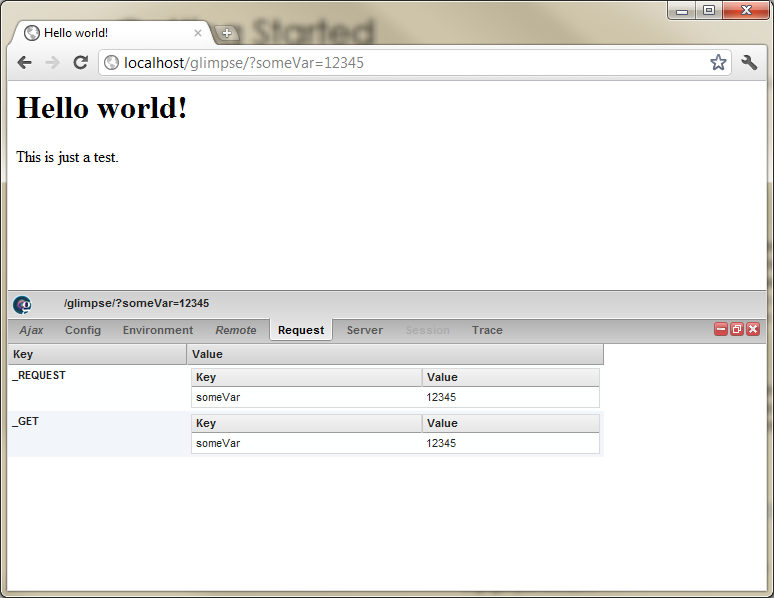
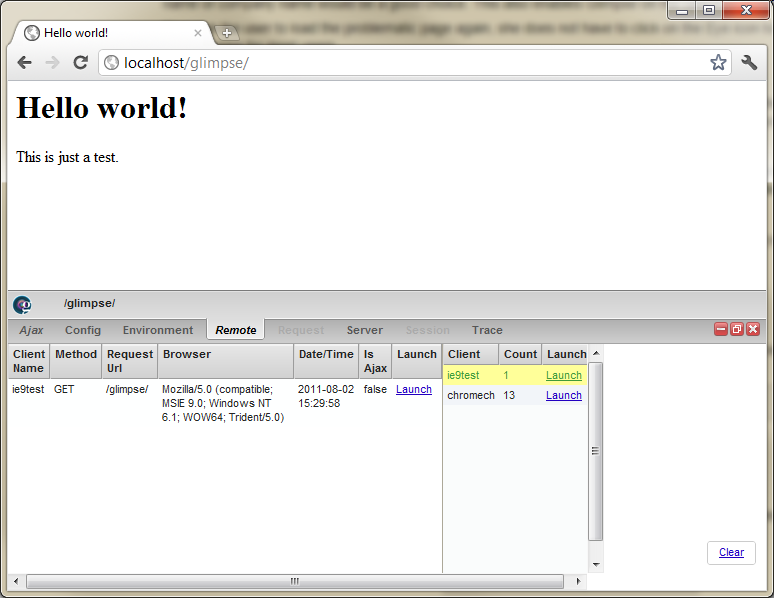
By default, Glimpse offers you a glimpse into the current Ajax requests being made, your PHP Configuration, environment info, request variables, server variables, session variables and a trace viewer. And then there’s the remote tab, Glimpse’s killer feature.
When configuring Glimpse through www.yoursite.com/?glimpseFile=Config, you can specify a Glimpse session name. If you do that on a separate device, for example a customer’s browser or a mobile device you are working with, you can distinguish remote sessions in the *remote *tab. This allows debugging requests that are being made live on other devices! A full description is over at http://getglimpse.com/Help/Plugin/Remote.
Adding Glimpse to your PHP project
Installing Glimpse in a PHP application is very straightforward. Glimpse is supported starting with PHP 5.2 or higher.
- For PHP 5.2, copy the source folder of the repository to your server and add as early as possible in your PHP script.
- For PHP 5.3, copy the glimpse.phar file from the build folder of the repository to your server and add as early as possible in your PHP script.
Here’s an example of the Hello World page shown above:
<?php
require_once 'phar://../build/Glimpse.phar';
?>
<html>
    <head>
        <title>Hello world!</title>
    </head>

    <?php Glimpse_Trace::info('Rendering body...'); ?>
    <body>


# Hello world!


This is just a test.

    </body>
    <?php Glimpse_Trace::info('Rendered body.'); ?>
</html>
Enabling Glimpse
From the moment Glimpse is installed into your web application, navigate to your web application and append the ?glimpseFile=Config query string to enable/disable Glimpse. Optionally, a client name can also be specified to distinguish remote requests.
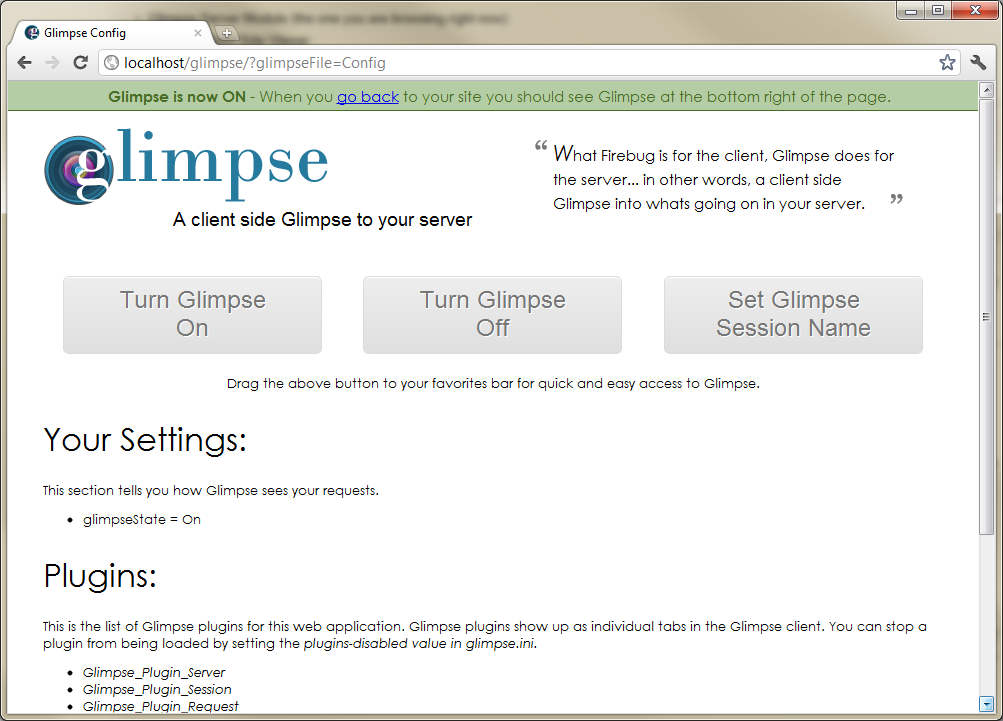
After enabling Glimpse, a small “eye” icon will appear in the bottom-right corner of your browser. Click it and behold the magic!
Now of course: anyone can potentially enable Glimpse. If you don’t want that, ensure you have some conditional mechanism around the statement.
Creating a first Glimpse plugin
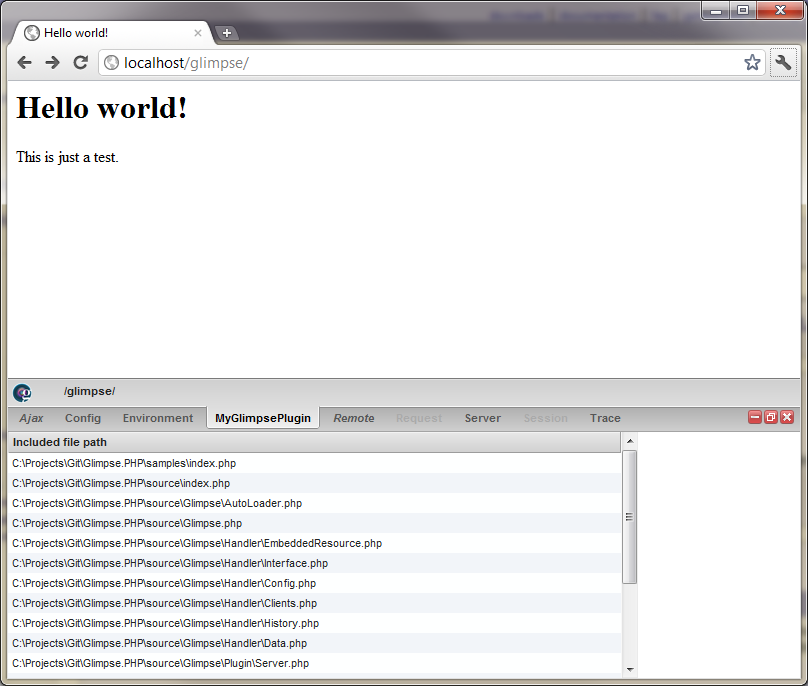
Not enough information on your screen? Working with Zend Framework and want to have a look at route values? Want to work with Wordpress and view some hidden details about a post through Glimpse? The sky is the limit. All there’s to it is creating a Glimpse plugin and registering it. Implementing Glimpse_Plugin_Interface is enough:
<?php
class MyGlimpsePlugin
    implements Glimpse_Plugin_Interface
{
    public function getData(Glimpse $glimpse) {
        $data = array(
            array('Included file path')
        );

        foreach (get_included_files() as $includedFile) {
            $data[] = array($includedFile);
        }

        return array(
            "MyGlimpsePlugin" => count($data) > 0 ? $data : null
        );
    }

    public function getHelpUrl() {
        return null; // or the URL to a help page
    }
}
?>
To register the plugin, add a call to $glimpse->registerPlugin():
<?php
$glimpse->registerPlugin(new MyGlimpsePlugin());
?>
And Bob’s your uncle:
Now what?
Well, it’s up to you. First of all: all feedback would be welcomed. Second of all: this is on Github (https://github.com/Glimpse/Glimpse.PHP). Feel free to fork and extend! Feel free to contribute plugins, core features, whatever you like! Have a lot of CakePHP projects? Why not contribute a plugin that provides a Glimpse at CakePHP diagnostics?
‘Till next time!